
What a CI/CD Pipeline Really Looks Like
(5 Minutes) | A practical, end-to-end look at CI/CD pipelines

A Model-Driven Approach to Building and Deploying Agents
Presented by Amazon
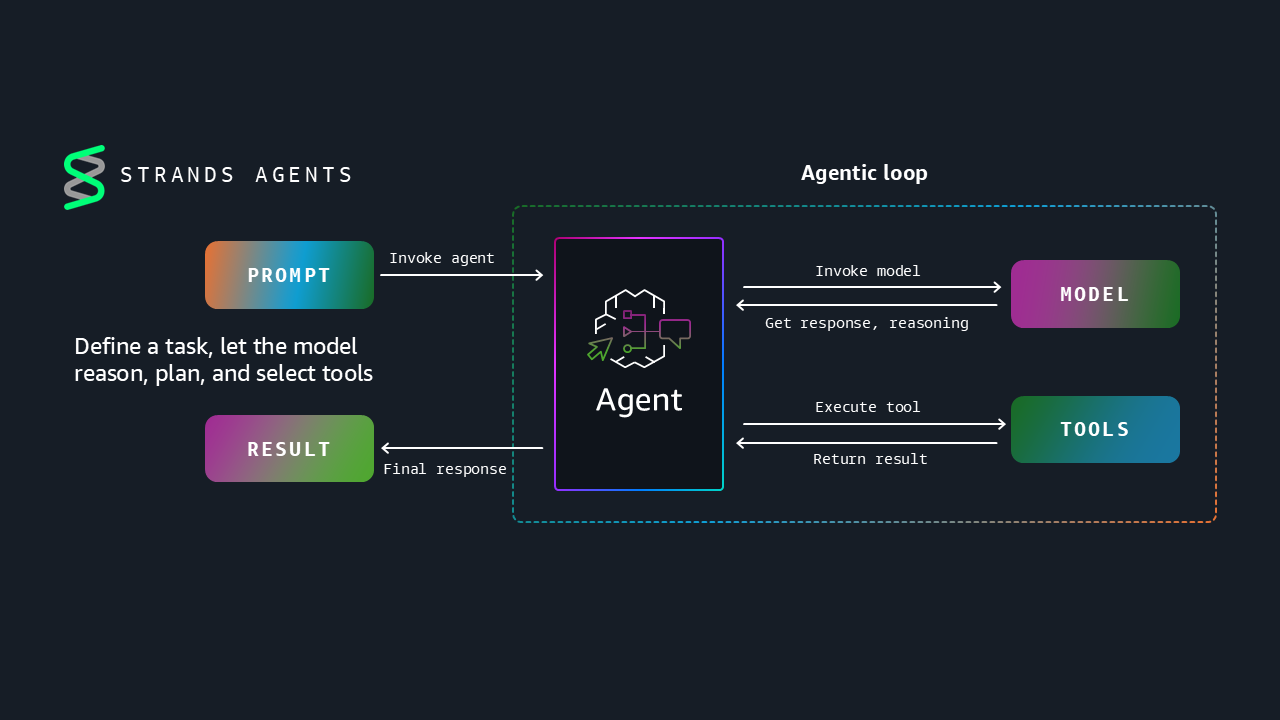
Strands Agents empowers you to create intelligent agentic systems that leverage reasoning models to make dynamic decisions and adapt to unexpected situations. You can now build agents in TypeScript, run agents on edge devices, steer agents through modular prompting, and verify agent performance with evaluations.
What a CI/CD Pipeline Really Looks Like
Shipping code shouldn’t feel like defusing a bomb, yet many teams treat deploys that way.
Merges slow down, nerves go up, and one bad release can freeze progress for days.
CI/CD exists to make releases predictable and dull; something you do without thinking, not something you plan your week around.
When you build a healthy pipeline, “deploying” stops being an event and becomes an ordinary part of writing software.
Continuous Integration vs Continuous Delivery vs Continuous Deployment
Before we dive in, let’s nail the terminology first:
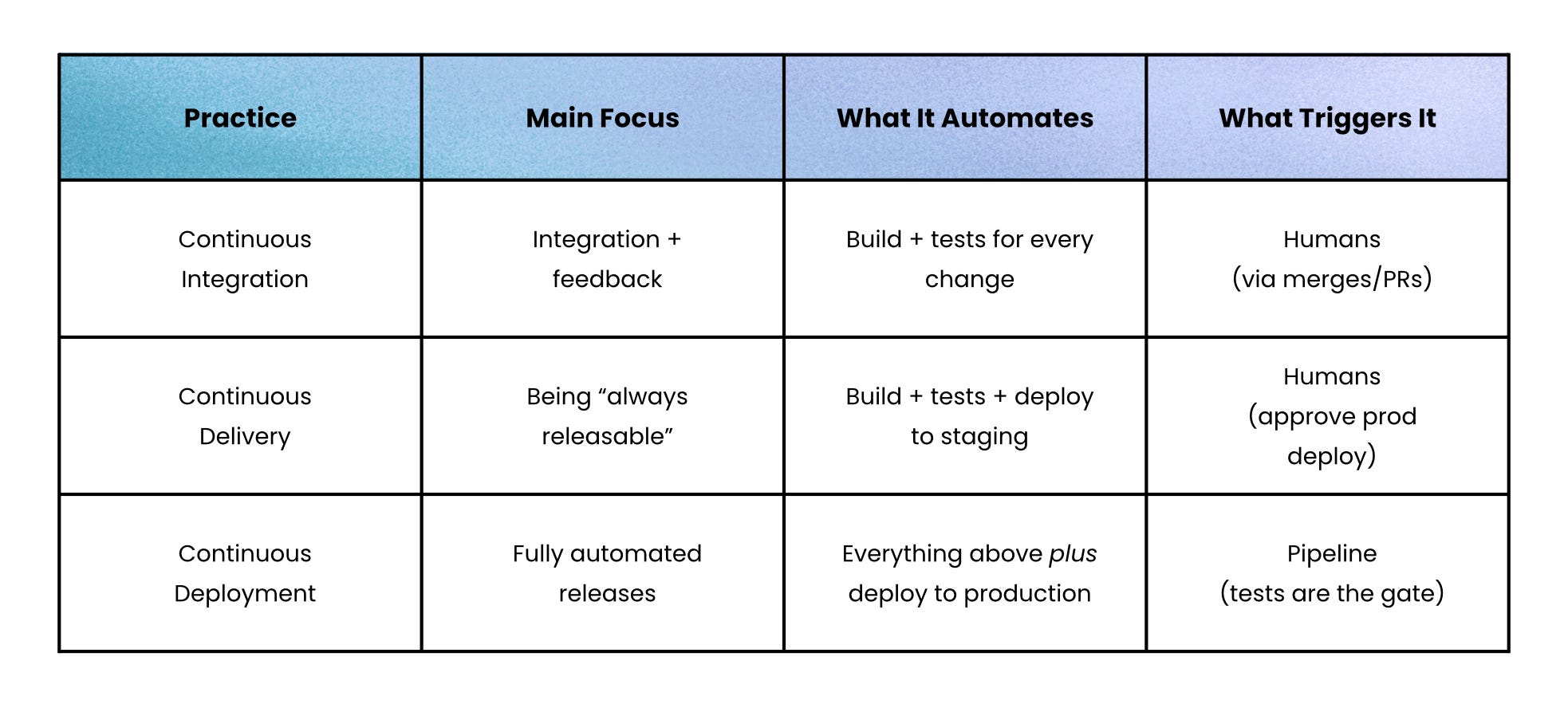
You can think of it as three layers:
Continuous Integration → Every commit builds and runs automated tests so the main branch stays healthy.
Continuous Delivery → Every passing build is automatically packaged and sent to a staging or test environment.
Continuous Deployment → Every passing build flows into production without a manual button press, relying on strong tests and monitoring.
The pipeline is the same; the only difference is where you keep a human in the loop.
How a CI/CD Pipeline Actually Works
A typical pipeline is just a scripted checklist the computer runs for you:
Version control trigger
A push to themainbranch or a pull request hits GitHub/GitLab. That event triggers your CI server.Build and quick tests
The pipeline checks out the code and runs your build and fast-feedback test suite:Unit tests → Verify small pieces of logic behave correctly on their own
Smoke tests → Small, fast set of checks to confirm the system is “basically working.”
Static analysis → Catch code issues early through linting, type checks, and security scans
If anything fails, the pipeline stops and flags the commit.
Artifact and registry
A successful build produces an artifact (JAR, Docker image, npm package) and stores it in a registry so the same thing gets deployed everywhere.Staging deployment
Delivery kicks in:Apply infrastructure-as-code → Spin up or update a staging environment
Run slower tests → Integration tests, performance checks, and end-to-end user flows
Promotion to production
With Continuous Delivery → A human reviews changes and clicks “deploy”
With Continuous Deployment → The pipeline auto-deploys when staging is green
Mature setups add safe rollout patterns
Blue-green → Run old and new versions side by side, then flip traffic
Canary → Send a small percentage of traffic to the new version, watch metrics, then ramp up if healthy
Monitoring and rollback
After deployment, dashboards and alerts watch error rates, latency, and key business metrics. If something looks off, you either:Roll back → Redeploy the previous artifact
Roll forward → Ship a quick fix through the same pipeline
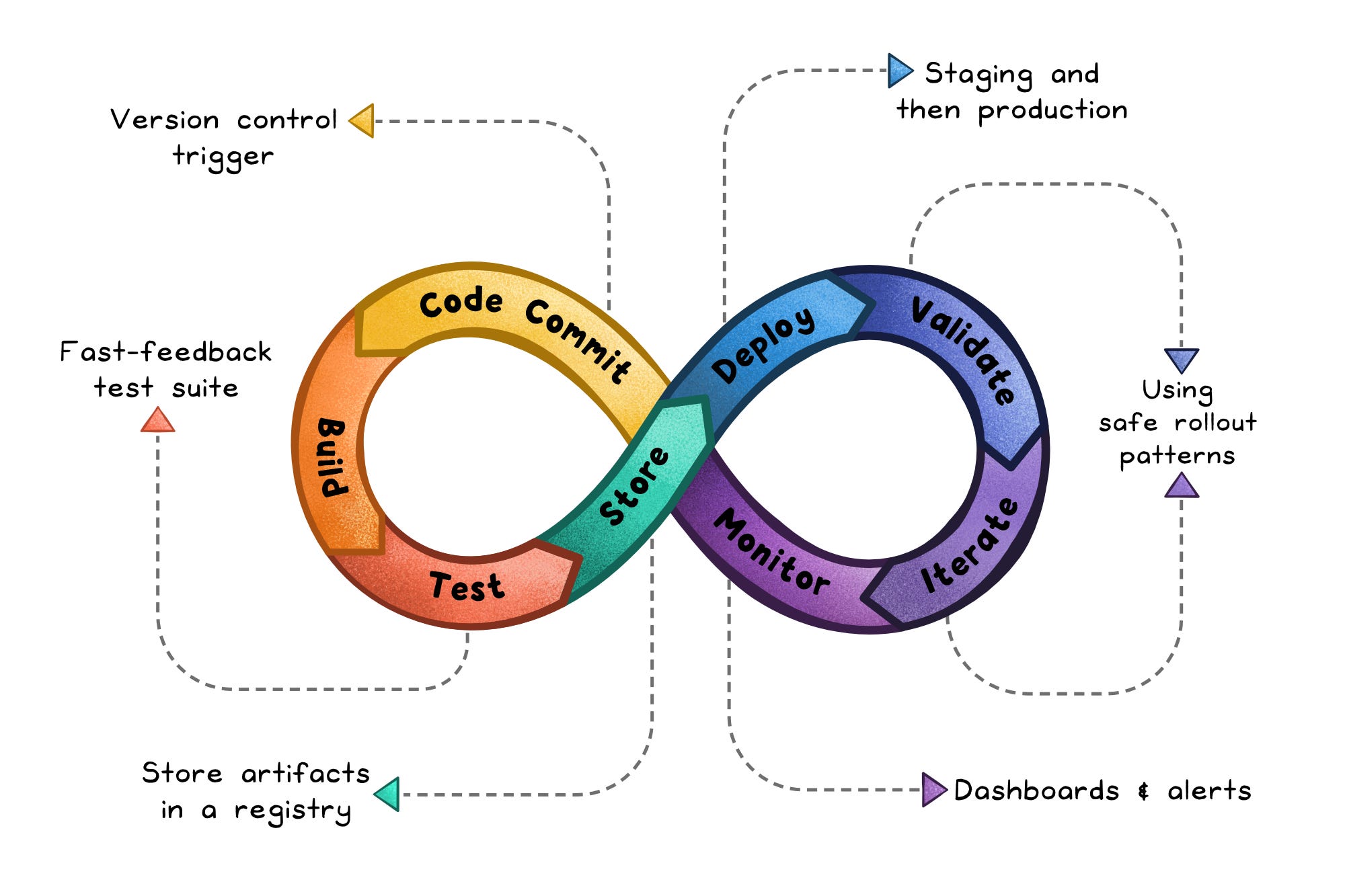
The result: deployments are just another pipeline run, not a manual ritual.
The Benefits of CI/CD
CI/CD is not just “faster releases.” It changes how your team works.
Faster feedback → Within minutes, you see if a change broke something which makes fixes cheaper and less stressful.
Fewer production surprises → Every change passes the same set of tests and staging checks before it reaches users.
Safer, smaller changes → You ship small increments instead of huge batches, so debugging is easier when something goes wrong.
Less manual glue work → No more copying artifacts around, clicking through release runbooks, or guessing which commit is in prod.
More confidence to refactor → A strong pipeline acts as a safety net, so you can clean things up instead of living with code rot.
Over time, teams that lean into CI/CD deploy more often, recover from incidents faster, and spend more time writing features instead of wrestling with release mechanics.
The Hidden Costs and Trade-Offs
You do pay for this automation. The costs are real, just usually front-loaded.
Pipeline setup overhead → You need to wire together CI tools, artifact storage, deployment scripts, and infrastructure-as-code because the pipeline itself becomes critical infrastructure.
Testing discipline → CI/CD is only as good as your tests. Flaky or shallow tests give you a false sense of safety and quickly erode trust in the pipeline.
Cultural change → Dev, QA, and Ops must share ownership of quality and deployment because CI/CD breaks old “throw it over the wall” habits.
Toolchain complexity → Different teams with different tools can accrete a mess of half-integrated pipelines that are hard to reason about.
When not to go all-in
There are cases where a full, multi-stage, fully automated pipeline is overkill:
Tiny prototype → You’re validating an idea with one developer and rare deployments.
Extremely stable legacy system → It ships once a year and barely changes.
Heavy external certifications → For example, embedded medical devices where each release needs formal sign-off.
In those situations, basic CI (build + unit tests on every commit) is still worth it because it keeps even rare releases safer, but you can delay the fancy rollout machinery.
How to Adopt CI/CD Without Burning Out the Team
You do not need to jump straight to “deploy to prod on every commit.” A sane path looks like this:
Start with CI → Automate build + unit tests on each push because this gives immediate value and surfaces integration issues early.
Add staging delivery → Automatically deploy the CI-built artifacts to a staging environment because this ensures every release candidate is tested the same way.
Gradually automate production → Introduce blue-green, canary, and manual approvals inside the pipeline before flipping to full continuous deployment.
The key mindset is to treat the pipeline as a product.
You invest in it, maintain it, and keep it fast and reliable because it becomes the backbone of how your team ships.
If “release day” still feels scary, that’s a signal your CI/CD story isn’t finished yet.
👋 If you liked this post → Like + Restack + Share to help others learn system design.
Subscribe to get high-signal, visual, and simple-to-understand system design articles straight to your inbox:
This must be one of the cleanest, simplest (yet holistic) summaries of CI/CD I have read. This should be mandatory reading for leaders (especially senior leaders) in any software organisation.
The best summary ever ❤️