
Database Types Clearly Explained
(7 minutes) | It’s not the schema. It’s the question you optimize for.

Spec Driven Development with Rovo Dev
Presented by Atlassian

Specs only work if they stay connected to execution. Rovo Dev enables spec-driven development by grounding AI directly in Jira tickets, acceptance criteria, and Confluence docs. Instead of re-explaining requirements or copying context between tools, developers can generate, validate, and review code against the original spec. The result is less drift, fewer misunderstandings, and faster delivery without sacrificing correctness.
Database Types Clearly Explained
Choosing a database feels like a schema problem. It usually isn’t.
It’s a question problem.
If your system needs updates to either fully succeed or fully fail, but your database doesn’t guarantee that, you’ll constantly deal with subtle bugs. If you need to search by meaning but your database only supports exact matches, you’ll end up adding another system later.
One rule cuts through the noise: pick the database that’s built for the hardest question you ask most often.
“All-or-nothing updates” → Relational and Distributed SQL
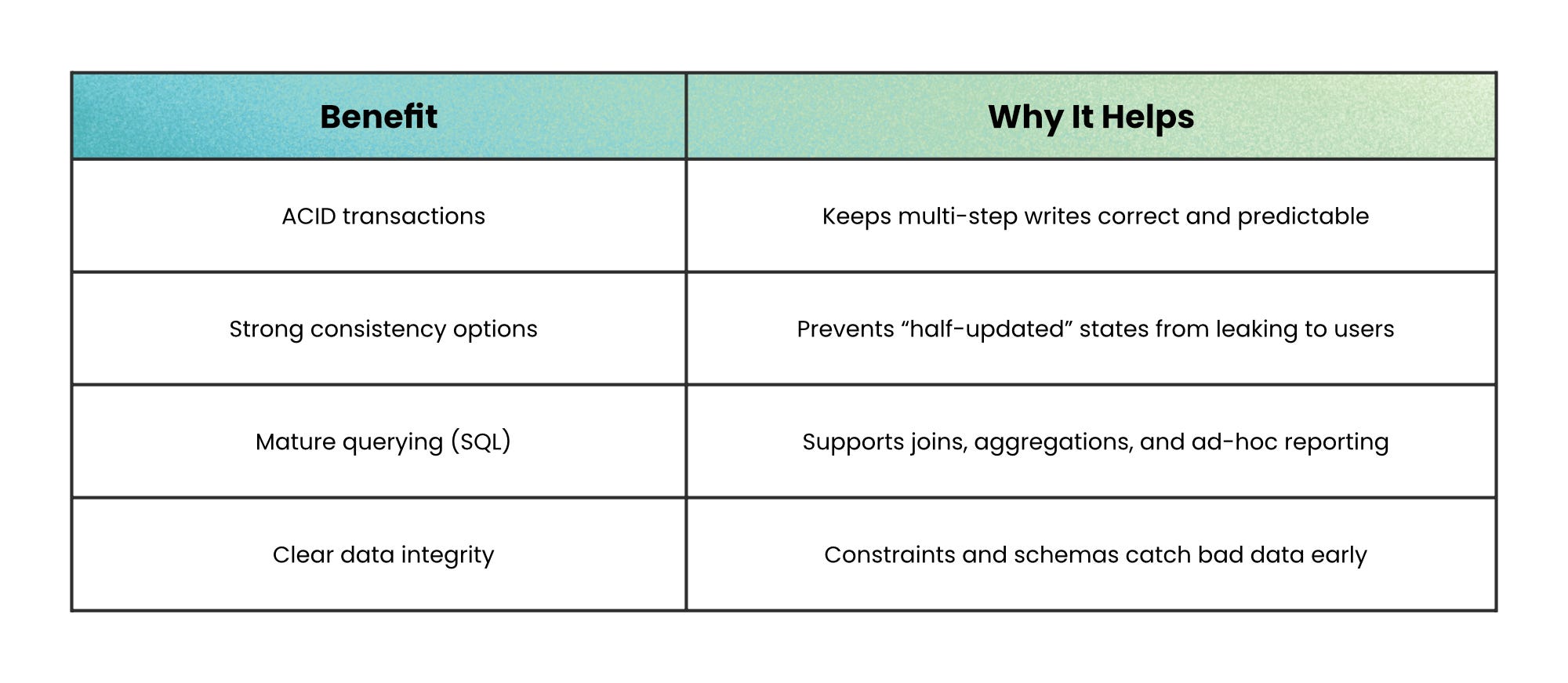
Some systems live or die on one requirement: multiple changes must succeed together, or not at all.
That’s what ACID transactions provide (Atomic, Consistent, Isolated, Durable).
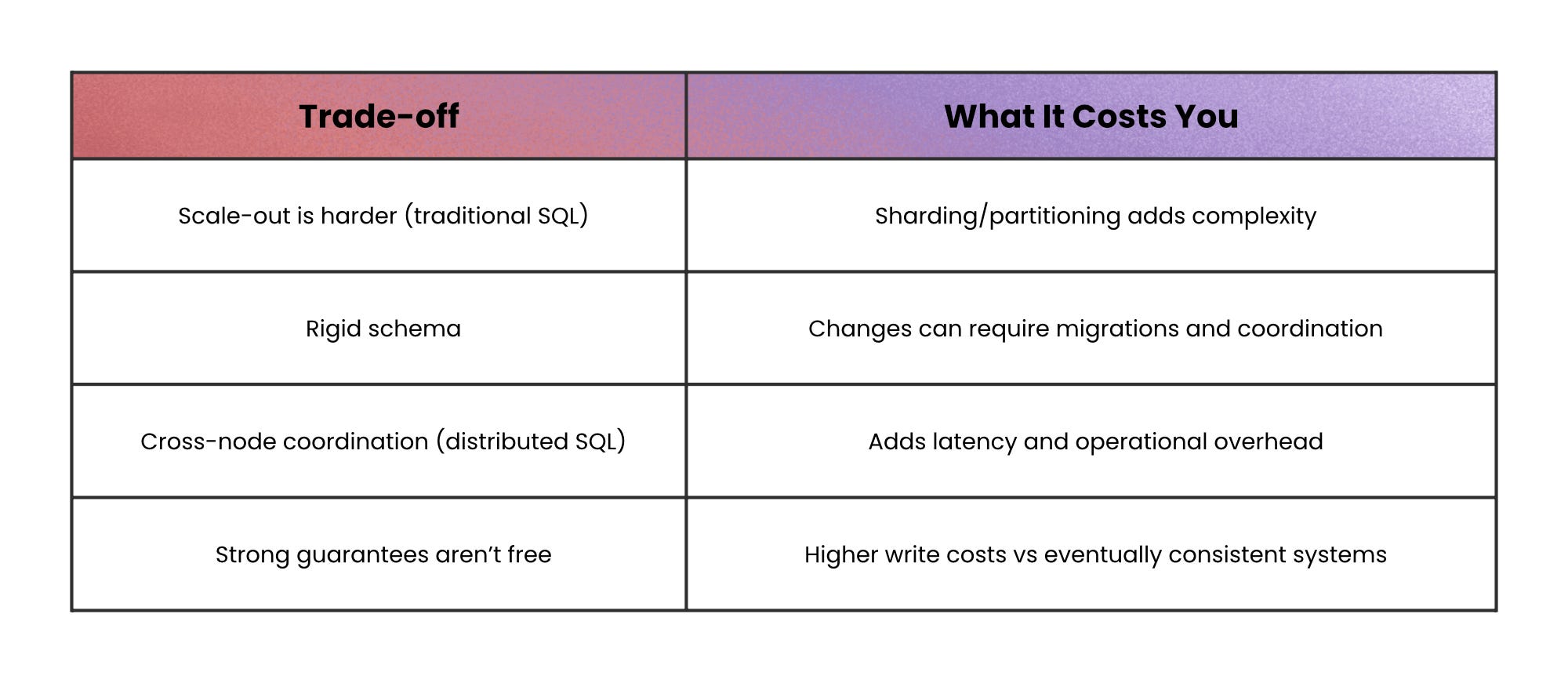
Relational databases give you that reliability plus rich SQL joins and aggregations. The trade-off is that traditional relational systems often scale up more naturally than they scale out, and schema changes can be slower because the structure is fixed.
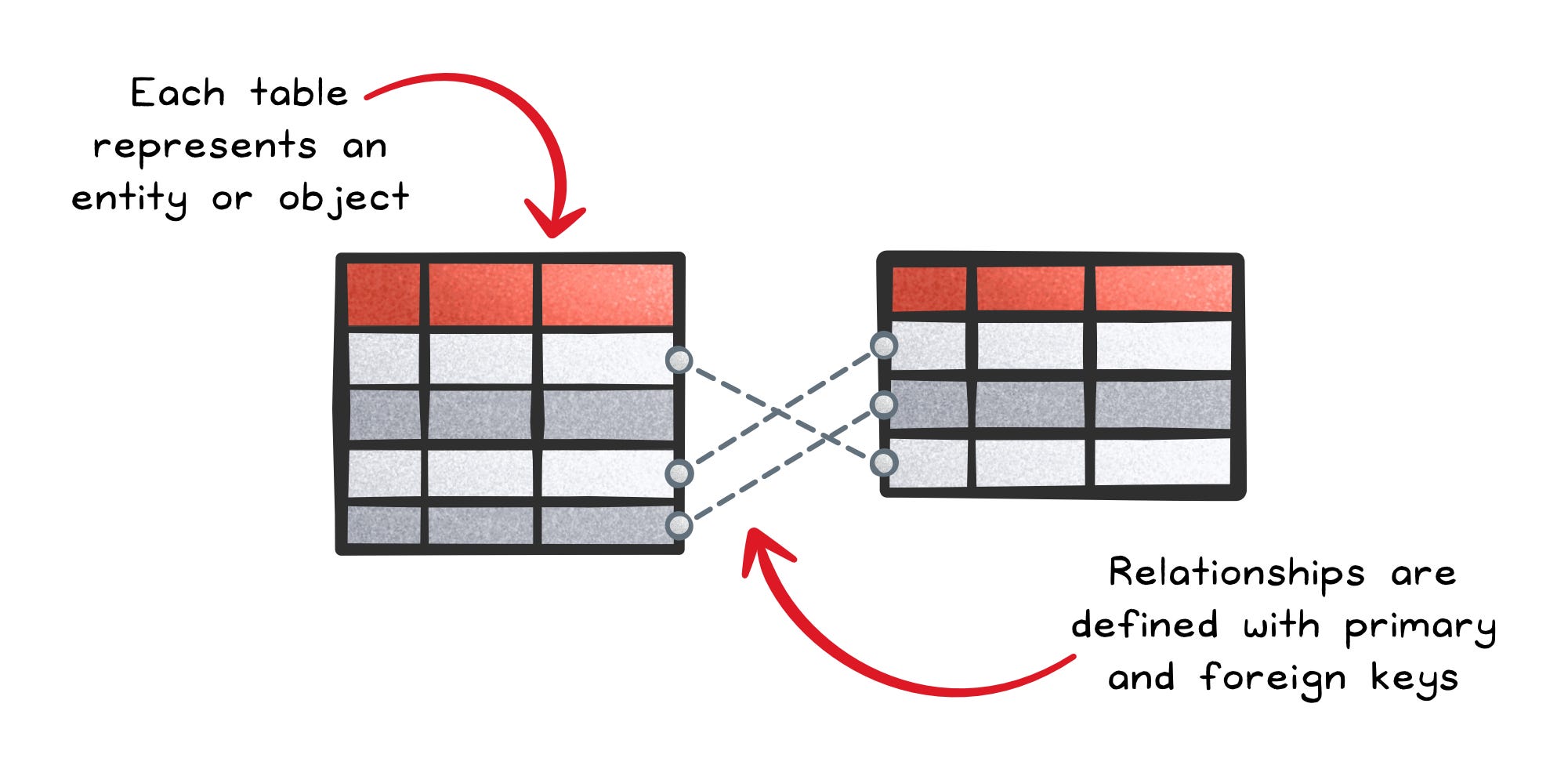
Distributed SQL keeps the same promise (SQL + ACID) but spreads data across nodes with consensus protocols so the database still behaves like one logical system. You gain horizontal scale and often multi-region replication, but you pay with network latency and operational complexity, because coordination across nodes is real work.
When not to use this: avoid relational databases for workloads dominated by key-based lookups or large append-only streams, because the extra guarantees add unnecessary overhead.
“Give me the whole thing as one object” → Document databases
Sometimes the core need is simple: store data in the same shape you read it.
When the read path is “load a user profile” or “load a product,” document databases are built for that.
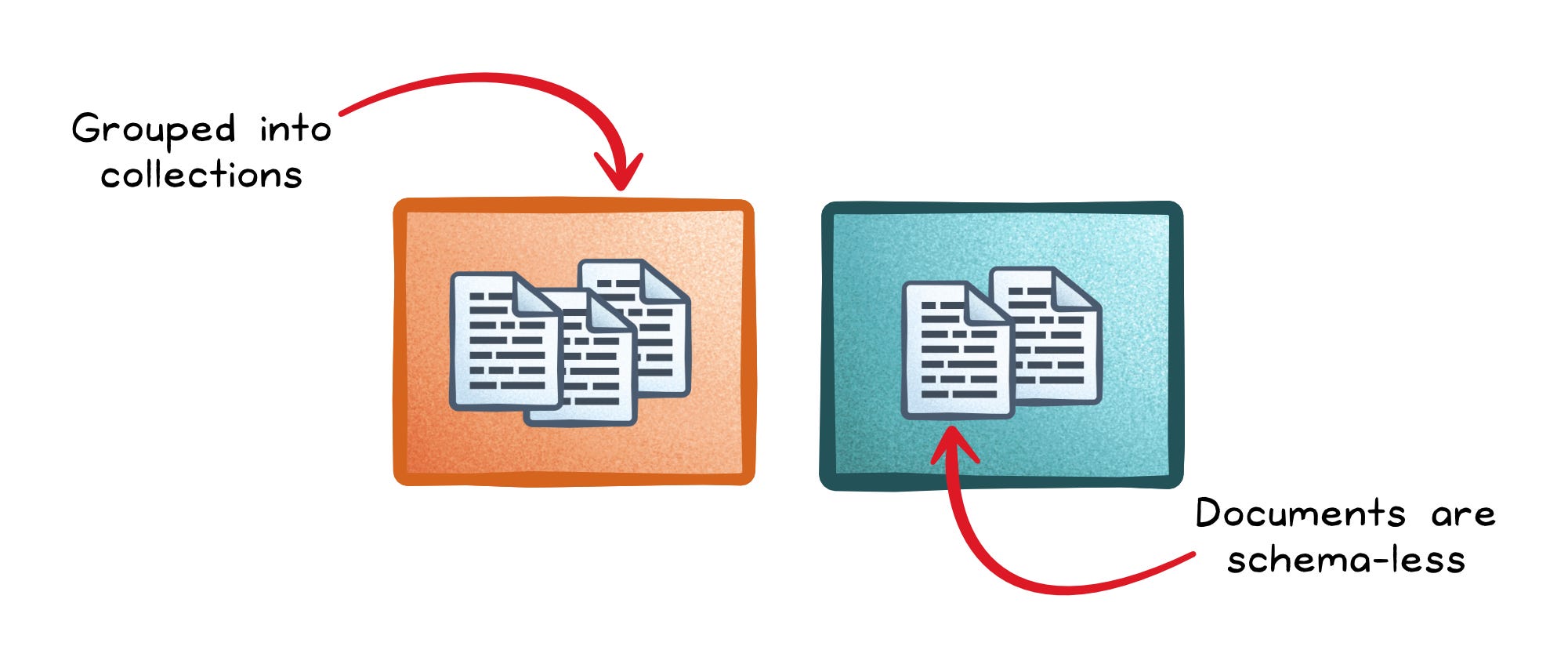
A document database stores each record as a self-contained document (often JSON) with no fixed schema, so different documents can evolve independently. It’s a strong fit for nested data because embedding reduces the need for joins.
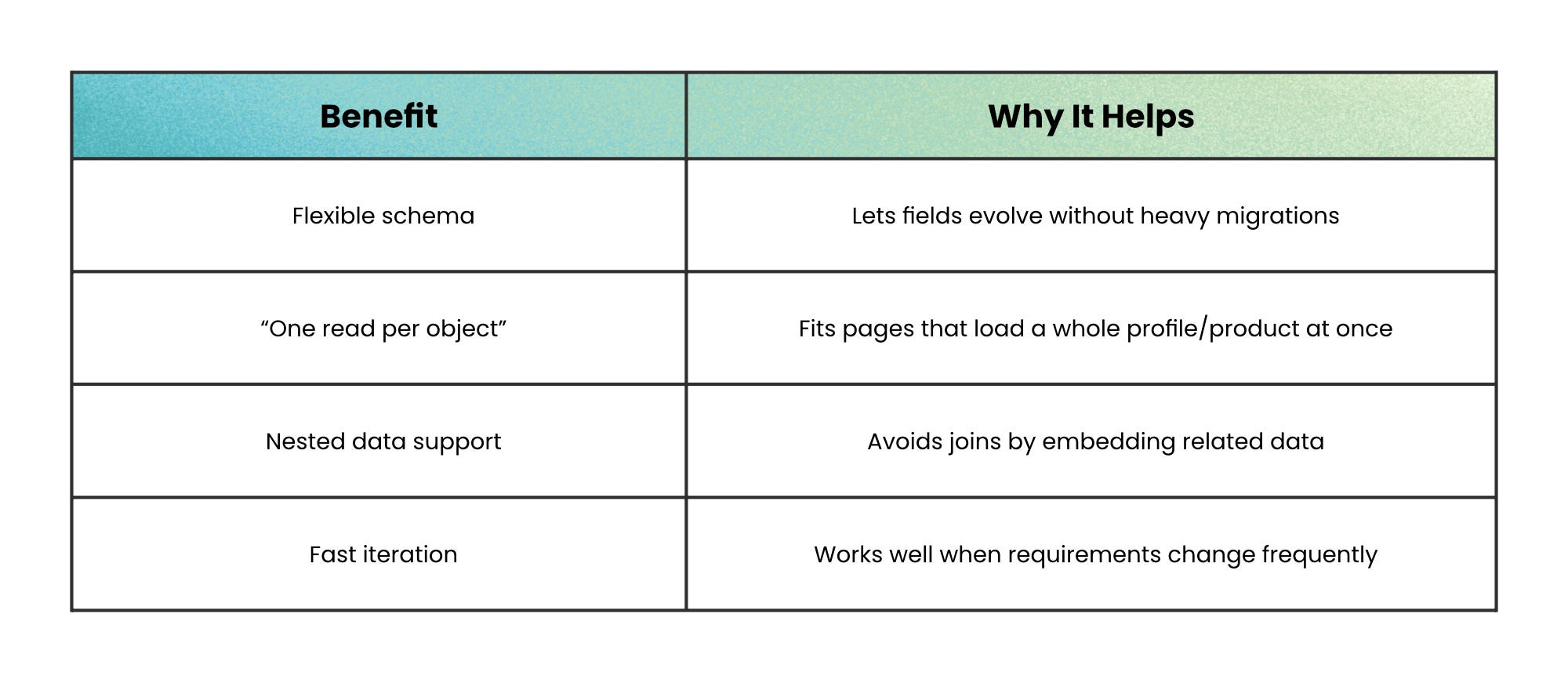
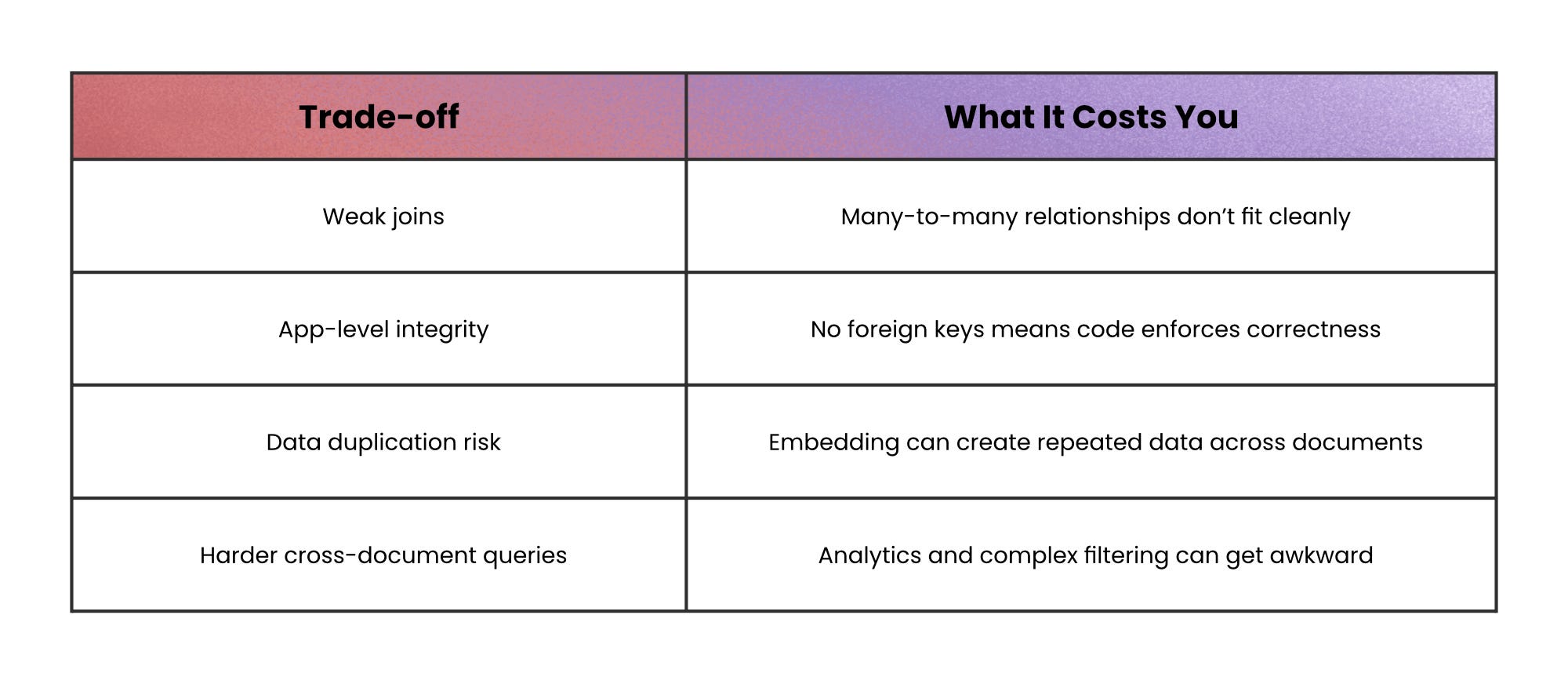
For example, a product catalog where one product has 5 attributes and another has 50 is naturally “document-shaped,” because forcing it into a fixed table often creates sparse columns and migrations.
When not to use this: avoid document databases when your core queries are “join across many collections by relationship,” because you’ll rebuild joins in code and lose the simplicity you came for.
“Get me the value for this key, fast” → Key-Value and In-Memory
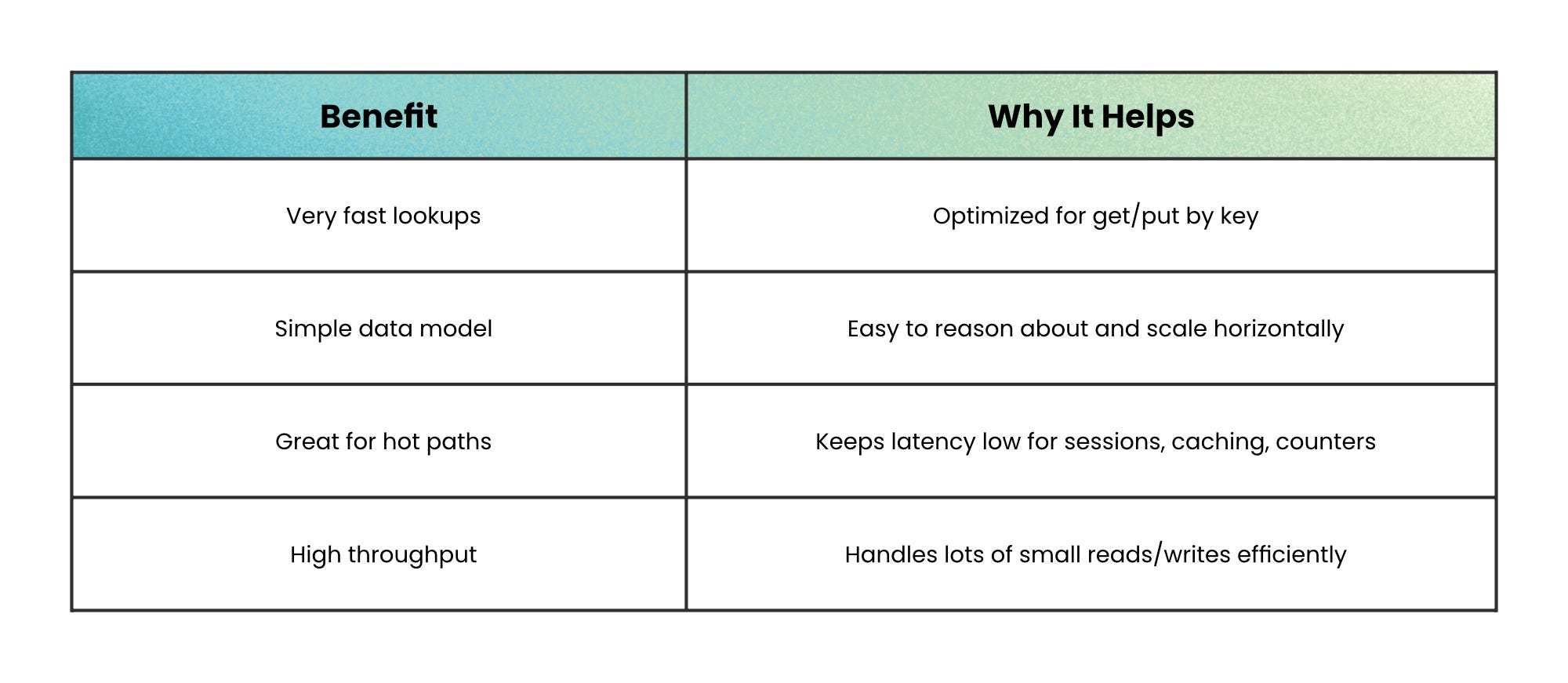
When your workload is dominated by direct lookups, the winning option is usually a database that does almost nothing else.
That’s the idea behind key-value stores.
A key-value store is basically a distributed dictionary: you write a value using a key, and you read it back using that same key; all without schemas, joins, or complex queries.
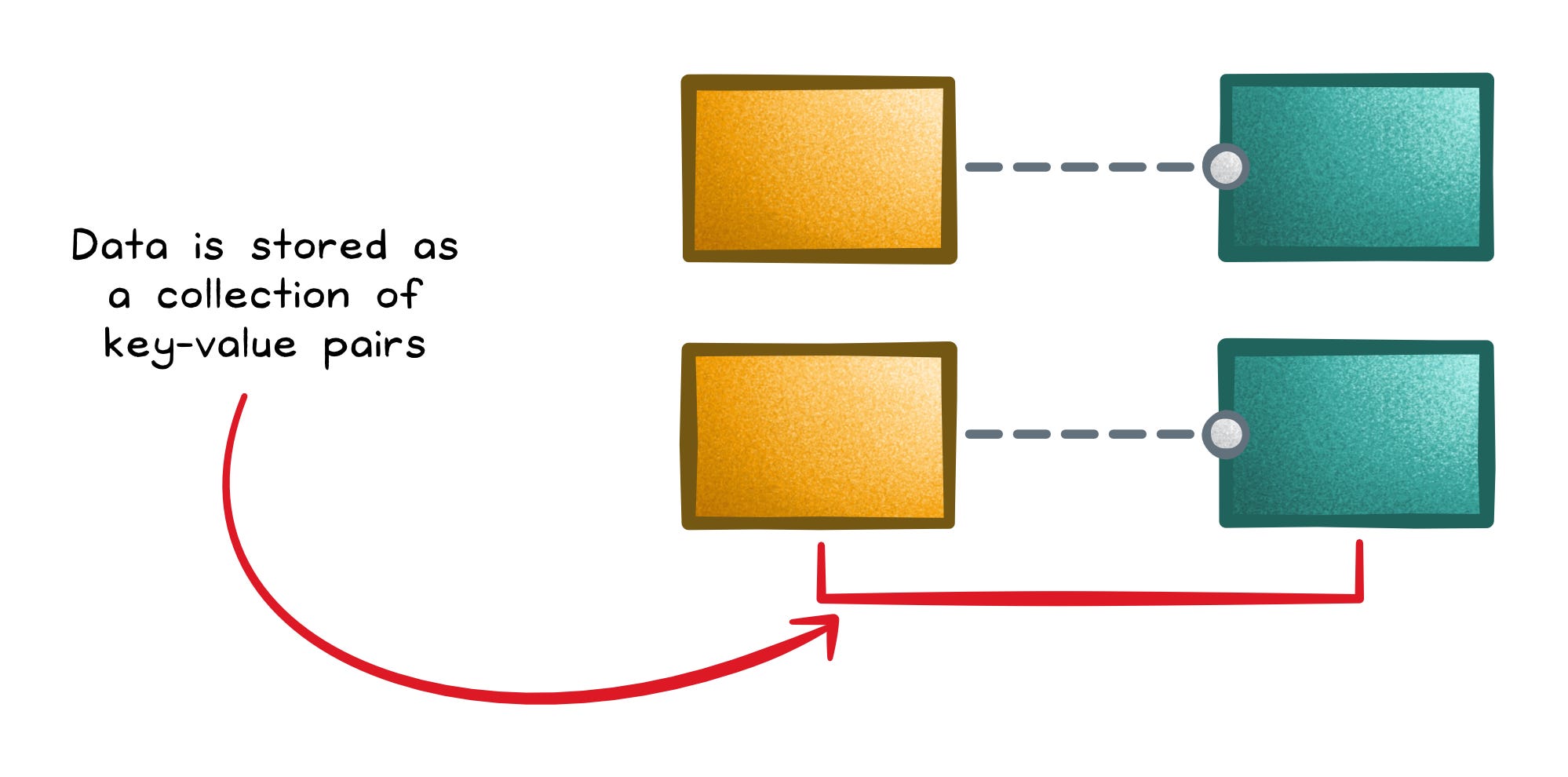
That simplicity makes partitioning and throughput easier, which is why they show up in sessions, caching layers, and feature flags.
In-memory databases push the same idea further by keeping working data in RAM for extremely low latency. The trade-off is that memory is expensive and volatility is real unless you enable persistence; and even then, durability often trades off with performance.
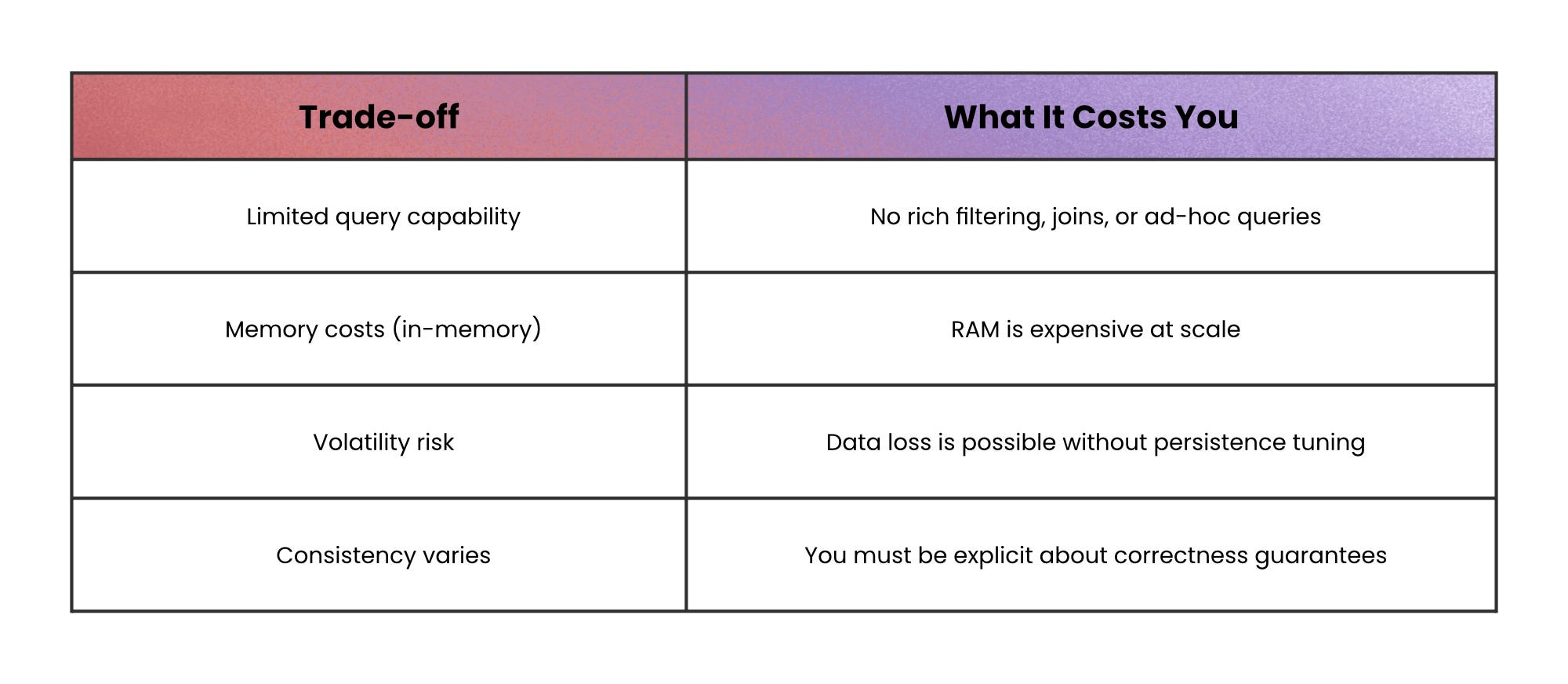
When not to use this: a cache shouldn’t be your source of truth unless you’ve deliberately designed for persistence and consistency.
“Append forever, query by partitions” → Wide-Column and Time-Series
Some workloads aren’t about “updating records.”
They’re about ingesting a firehose of data and then asking time- or key-based slices like “give me everything for this device” or “show the last 10 minutes.”
That’s where wide-column and time-series databases fit best.
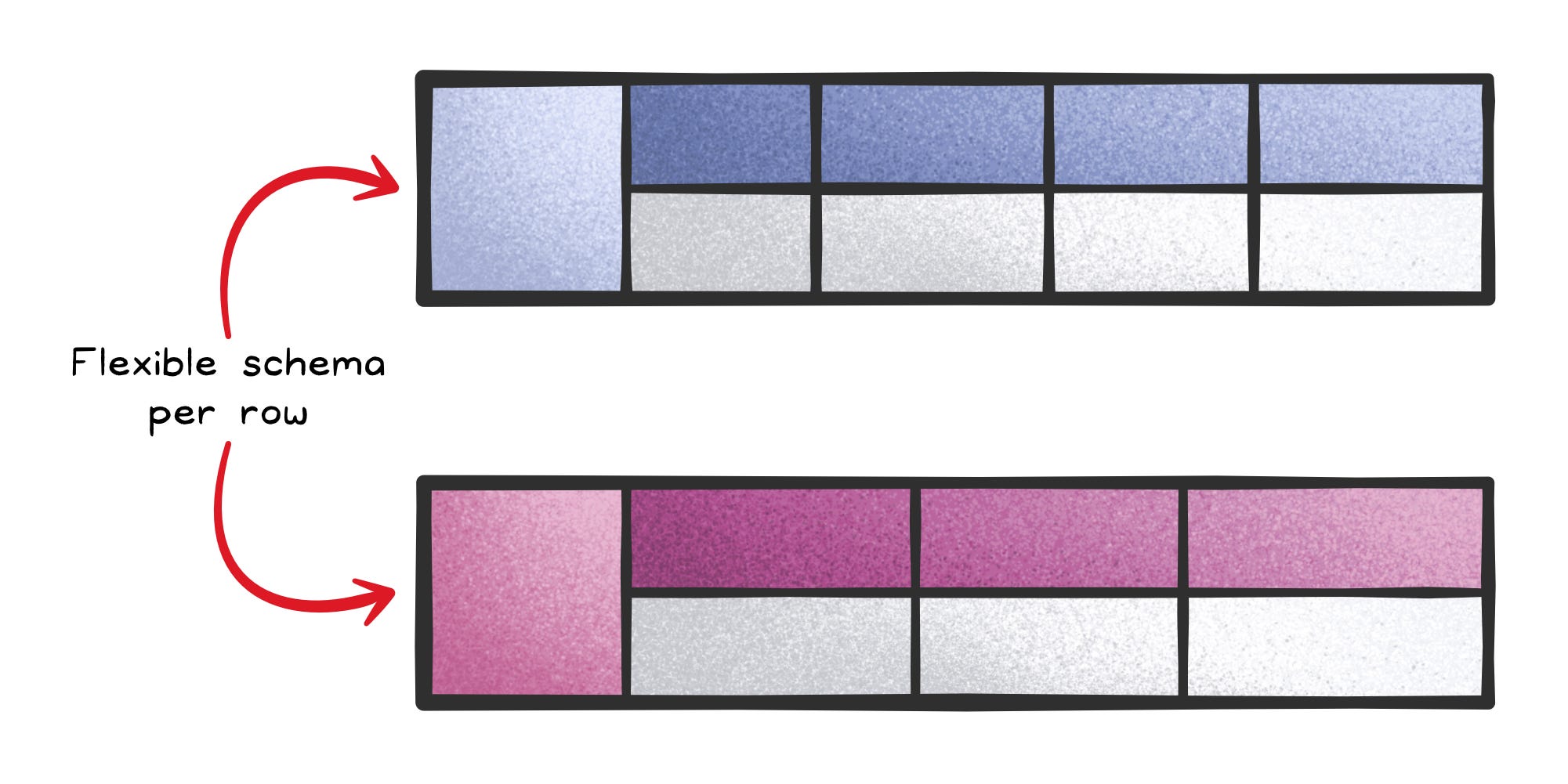
Wide-column stores (column-family stores) distribute huge tables across clusters and let each row have a sparse, flexible set of columns. They’re designed for very high throughput when you access data by a primary key (and often range scans on that key), but they require careful up-front modeling because you don’t get relational joins for free.
Time-series databases (TSDBs) specialize even further: time is the primary axis. They use append-only designs, time partitioning, compression, and features like retention policies and downsampling.
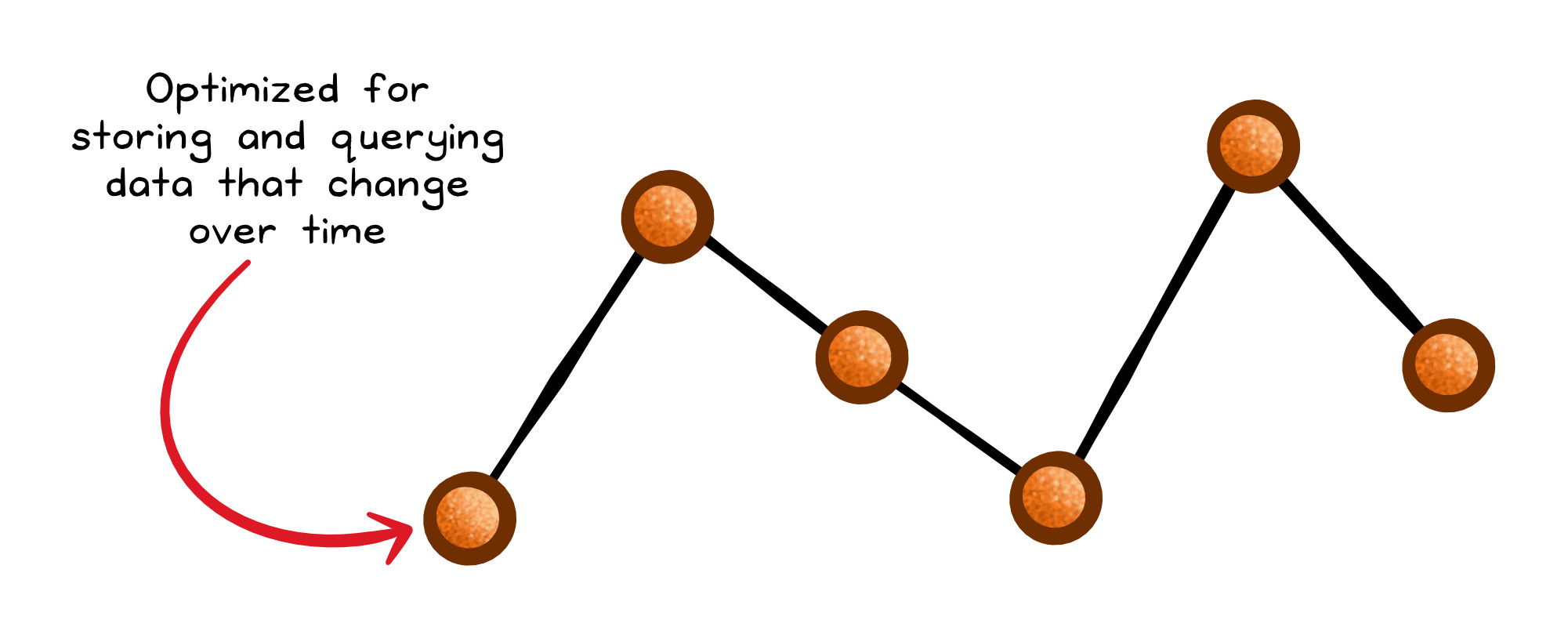
This is why they’re a natural fit for metrics, telemetry, and monitoring queries like “last 5 minutes” or “hourly average over a month.”
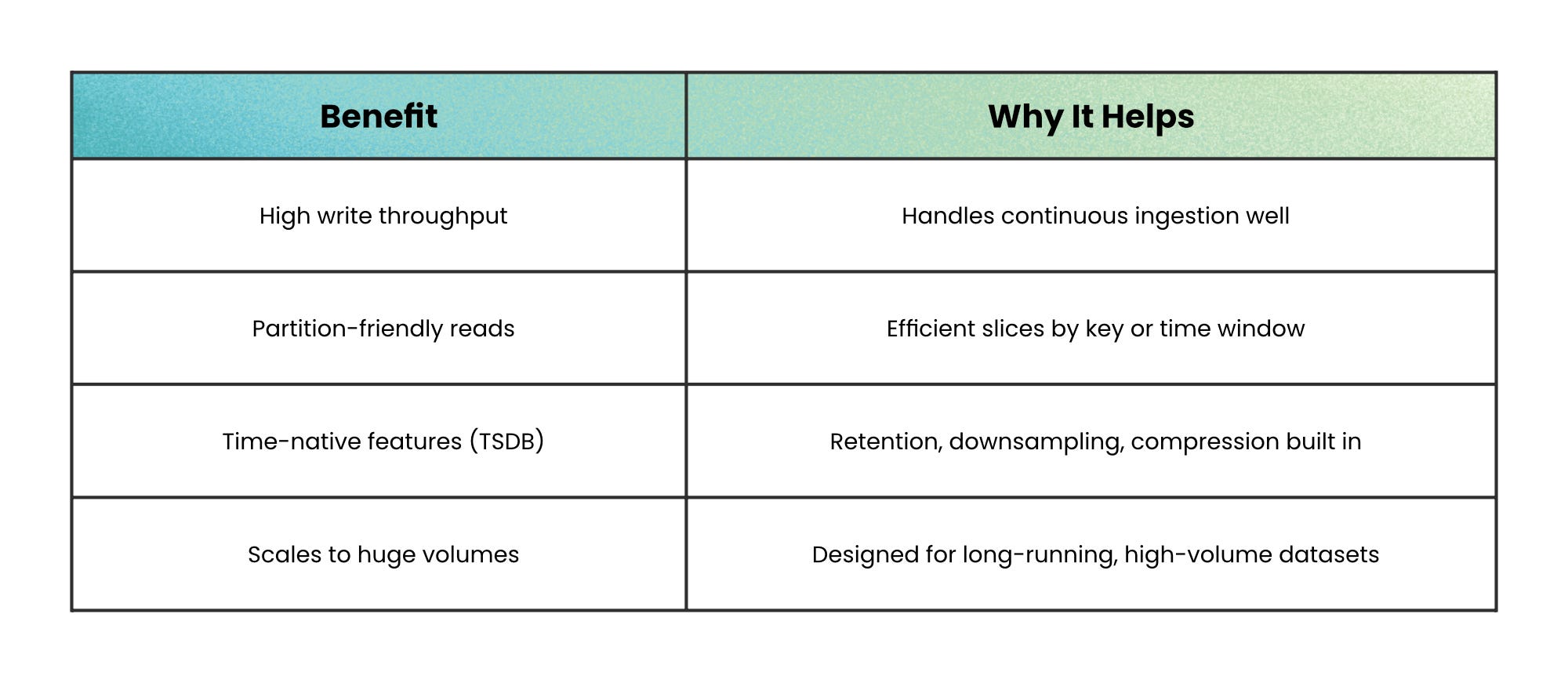
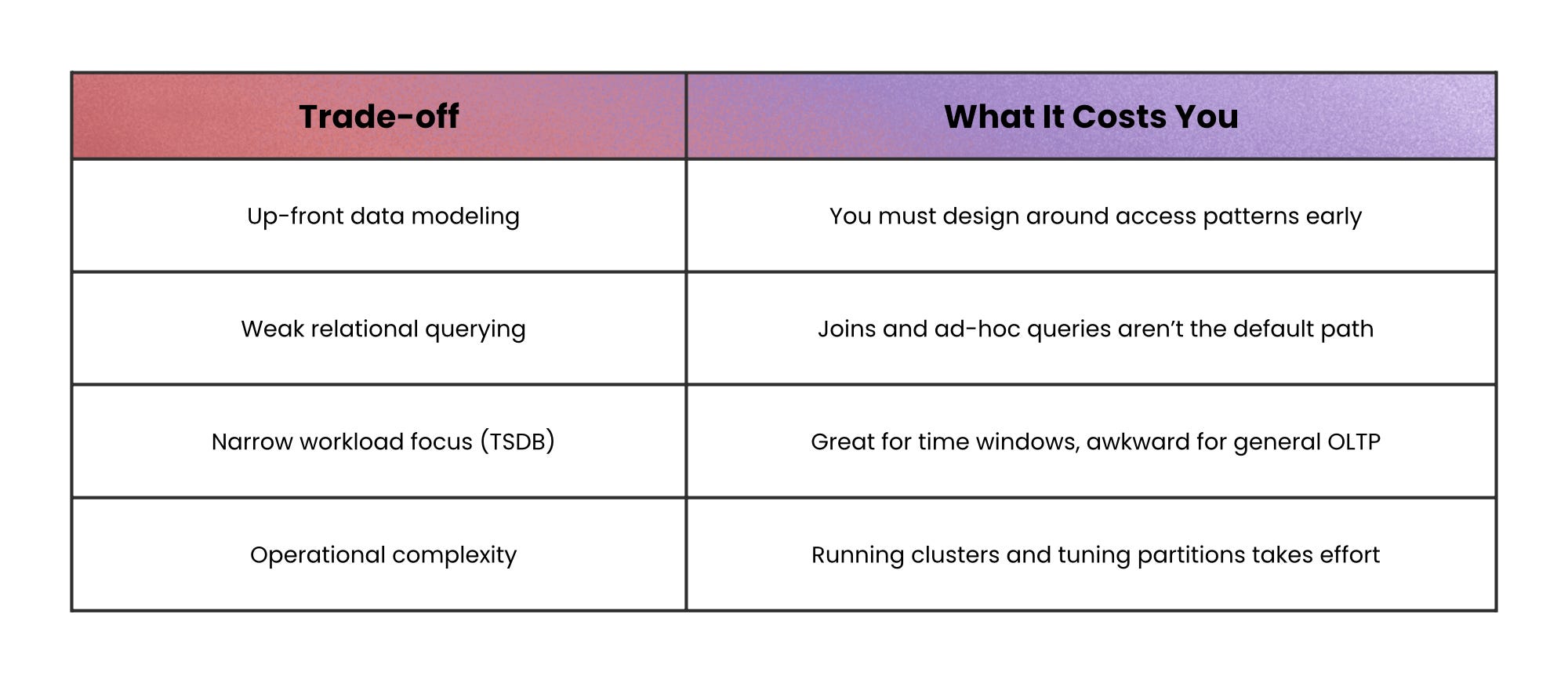
When not to use this: avoid wide-column and time-series databases for workloads that need frequent updates, complex joins, or multi-row transactions.
“How are these things connected?” → Graph databases
Graph databases make relationships first-class: nodes represent entities, edges represent relationships, and the database is optimized for traversing across those relationships.
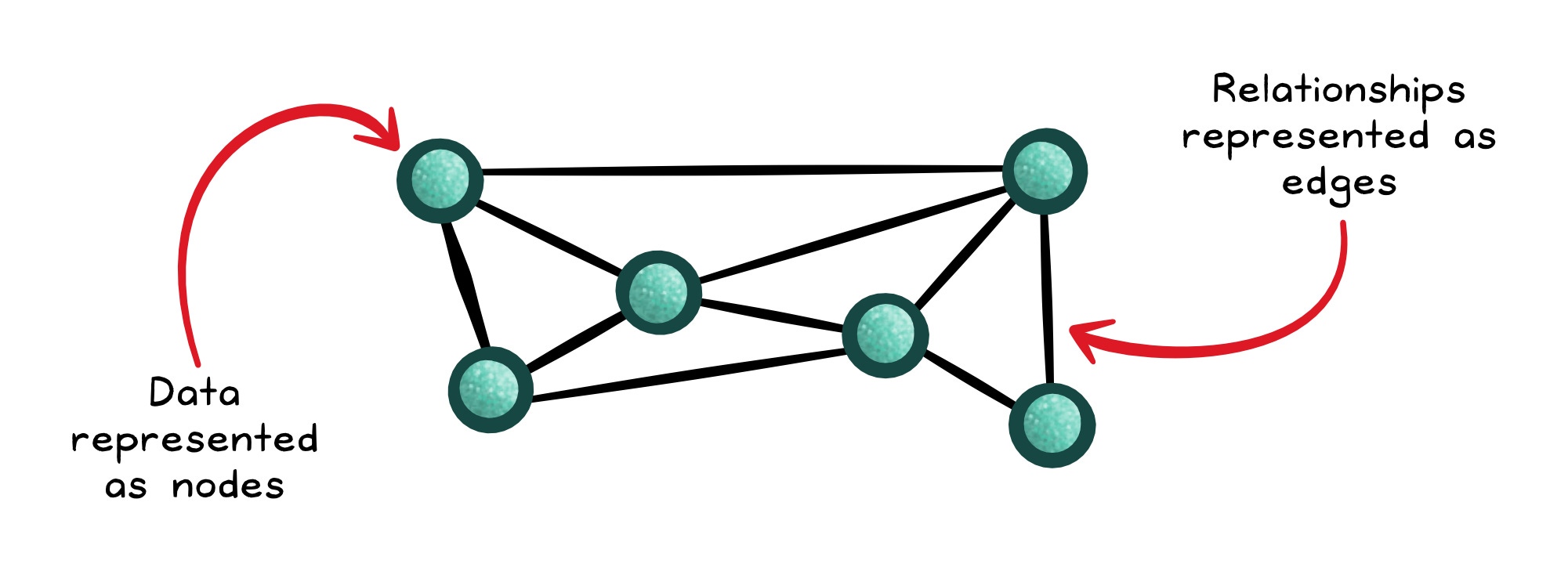
If your queries look like “friends of friends,” “how are these things connected,” or “what paths exist between them,” graph databases can answer them quickly, while recursive joins can become slow and complex.
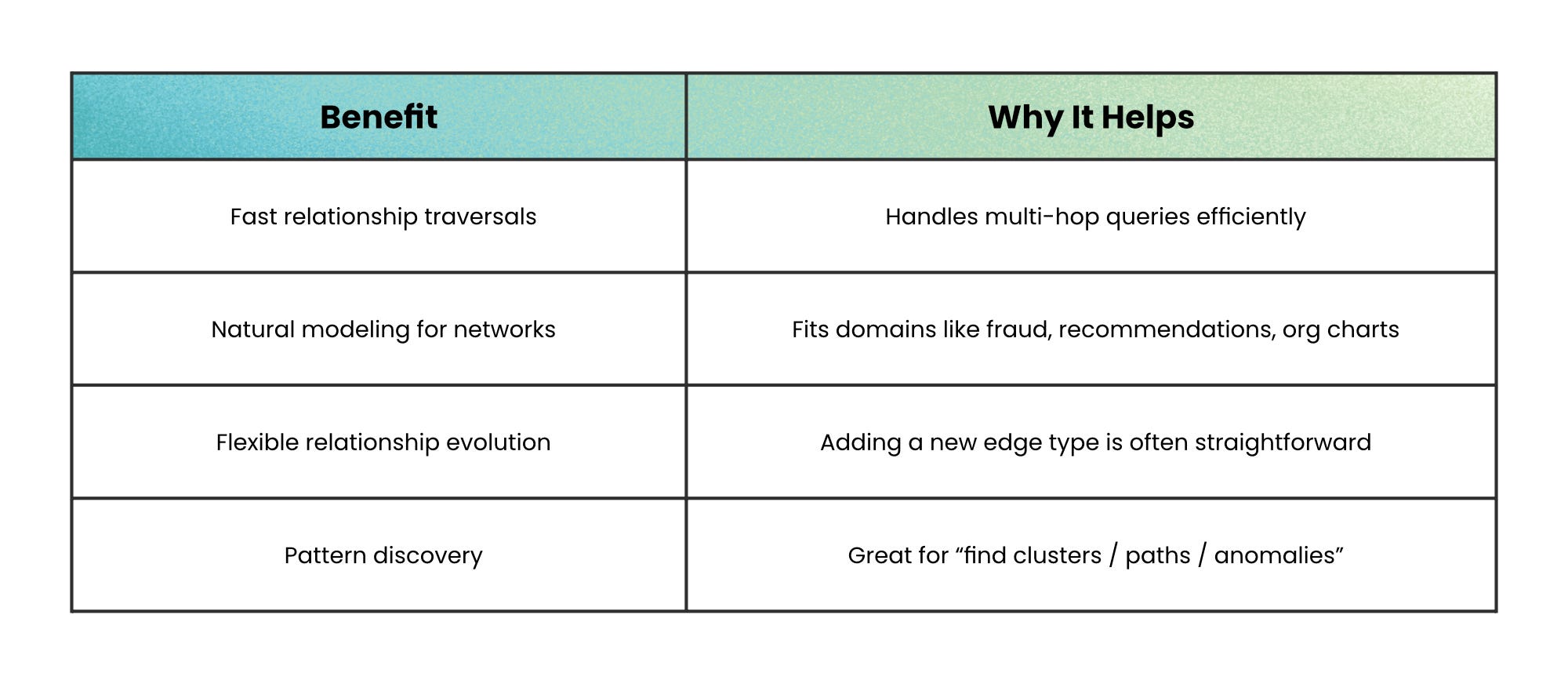
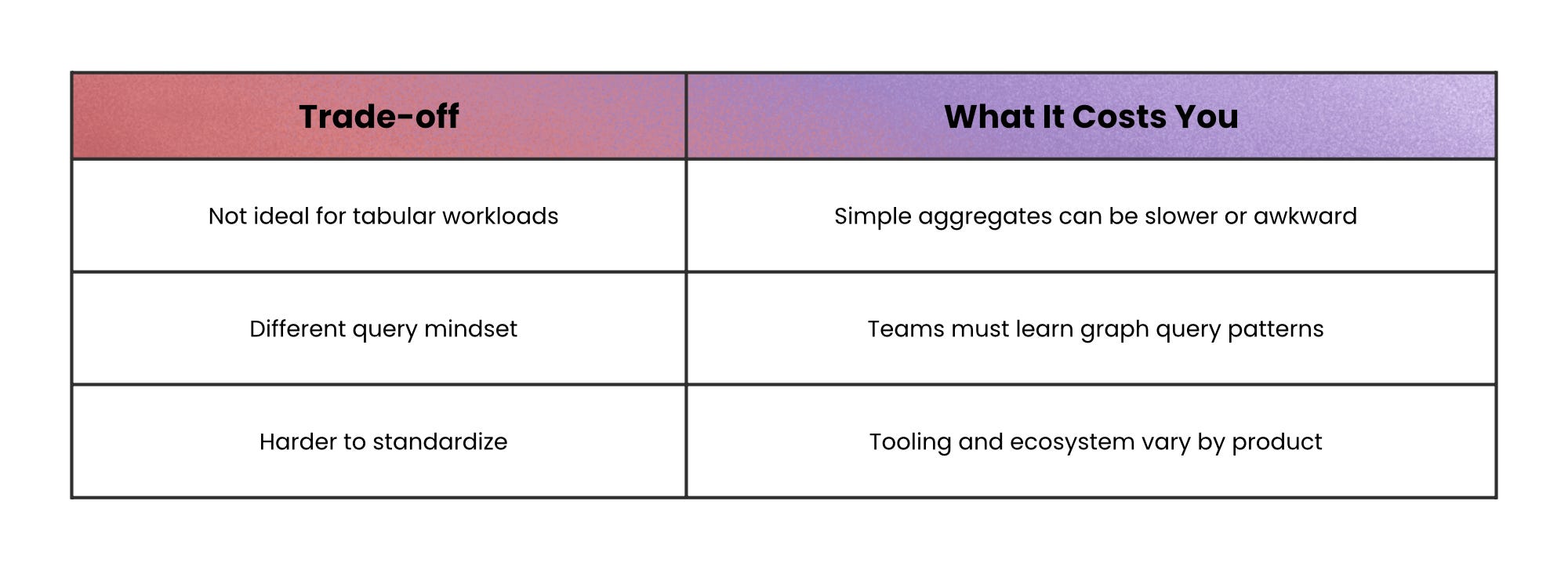
When not to use this: if you rarely traverse relationships, a graph database is overhead; use a simpler store that matches your access pattern.
“Find text like a human would” → Search and Vector databases
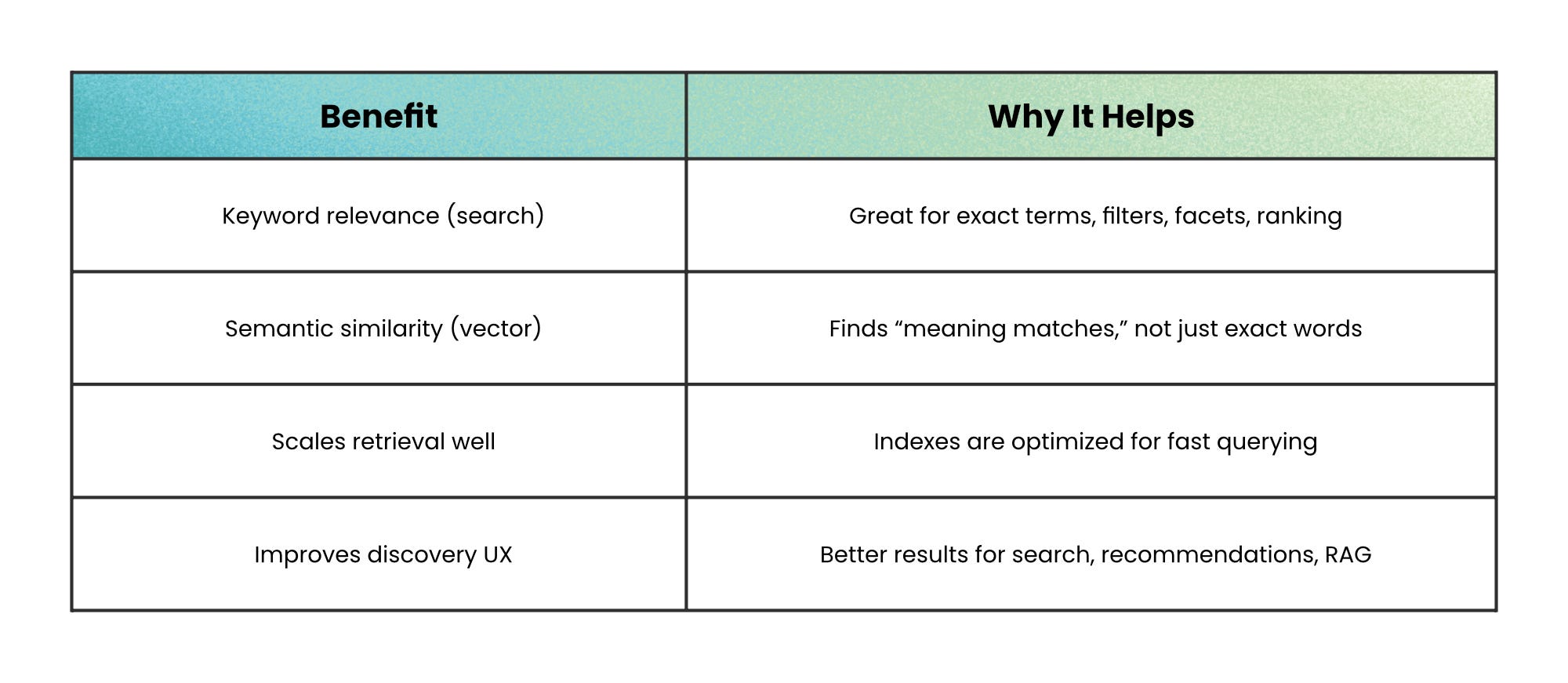
Search engines answer: “Which documents contain these terms, and which are most relevant?” using inverted indexes and relevance scoring.
They’re often eventually consistent (documents become searchable after a short delay), and they are not designed to be your transactional source of truth.
Vector databases answer a different question: “Which items are closest in meaning?”
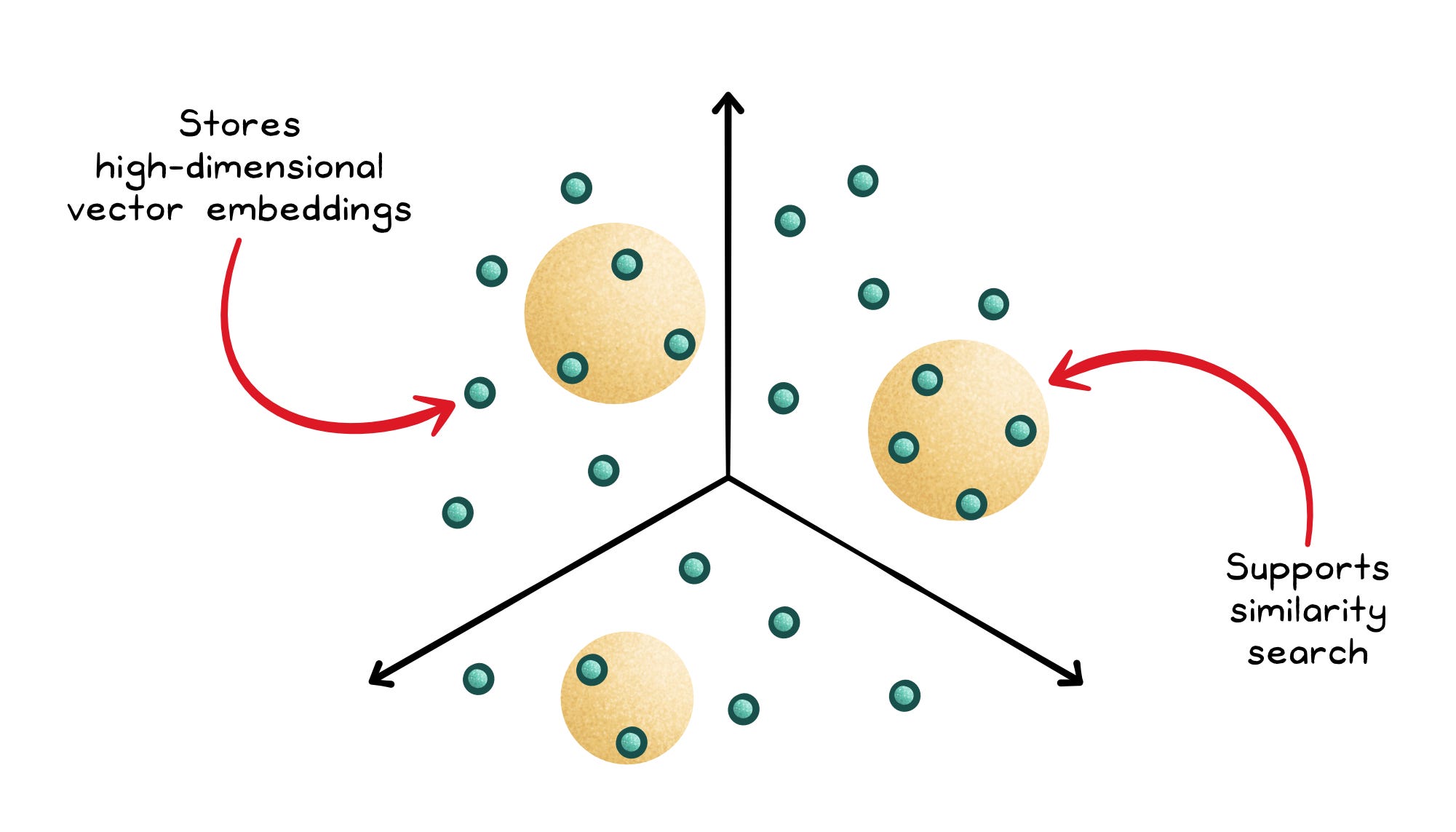
They store embeddings (high-dimensional vectors) and use approximate nearest neighbor (ANN) indexes to avoid brute-force scans.
The speed comes from approximation, so you trade perfect accuracy for low latency.
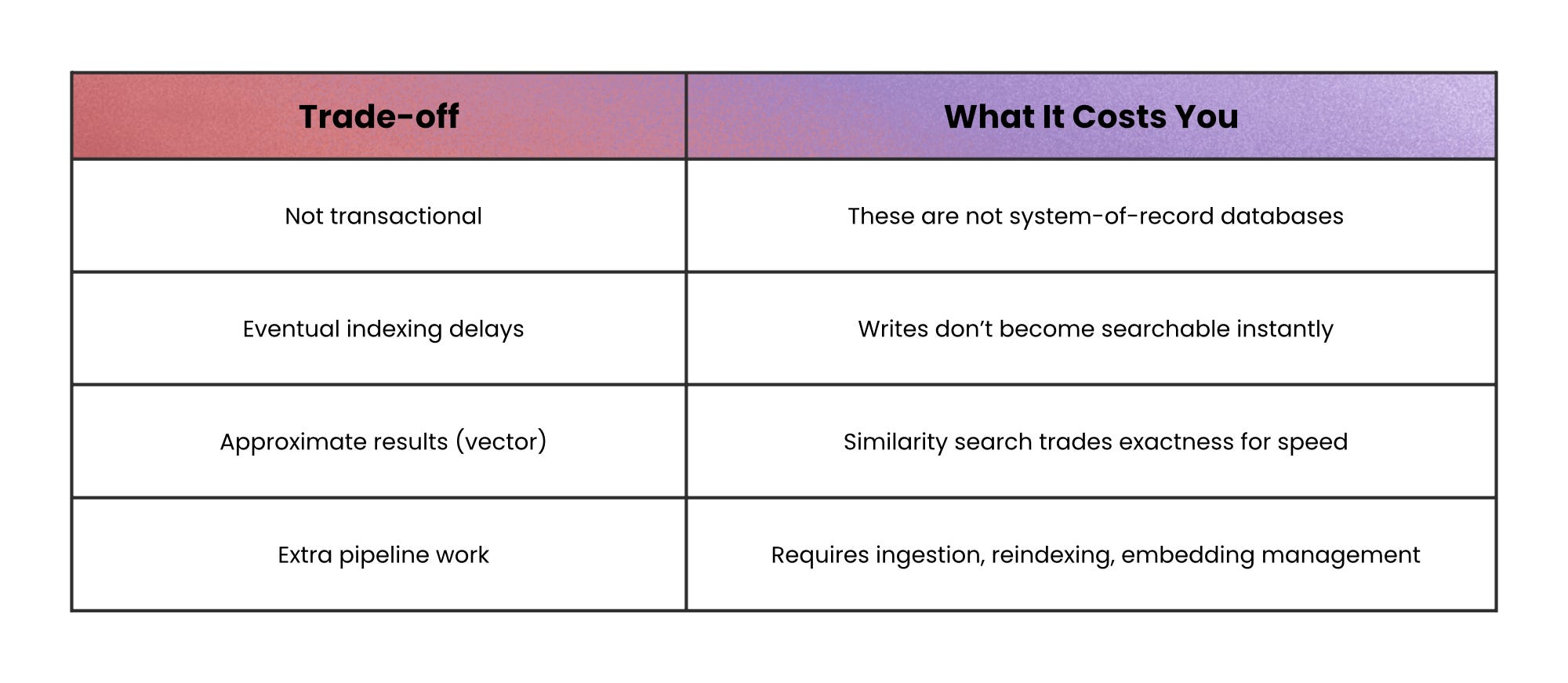
When not to use this: search and vector databases aren’t a good fit when you need strong transactions, immediate consistency, or your single source of truth.
Final recap: match the database to the question
Every database type in this article exists for a reason.
None of them is “better” in general. Each one is optimized for a specific kind of question, and struggles when pushed outside that use case.
The fastest way to choose is to ignore features and focus on this instead:
What is the hardest question my system asks, every day, under load?
If you answer that honestly, the right database type usually becomes obvious; and you avoid months of work compensating for a bad fit in application code.
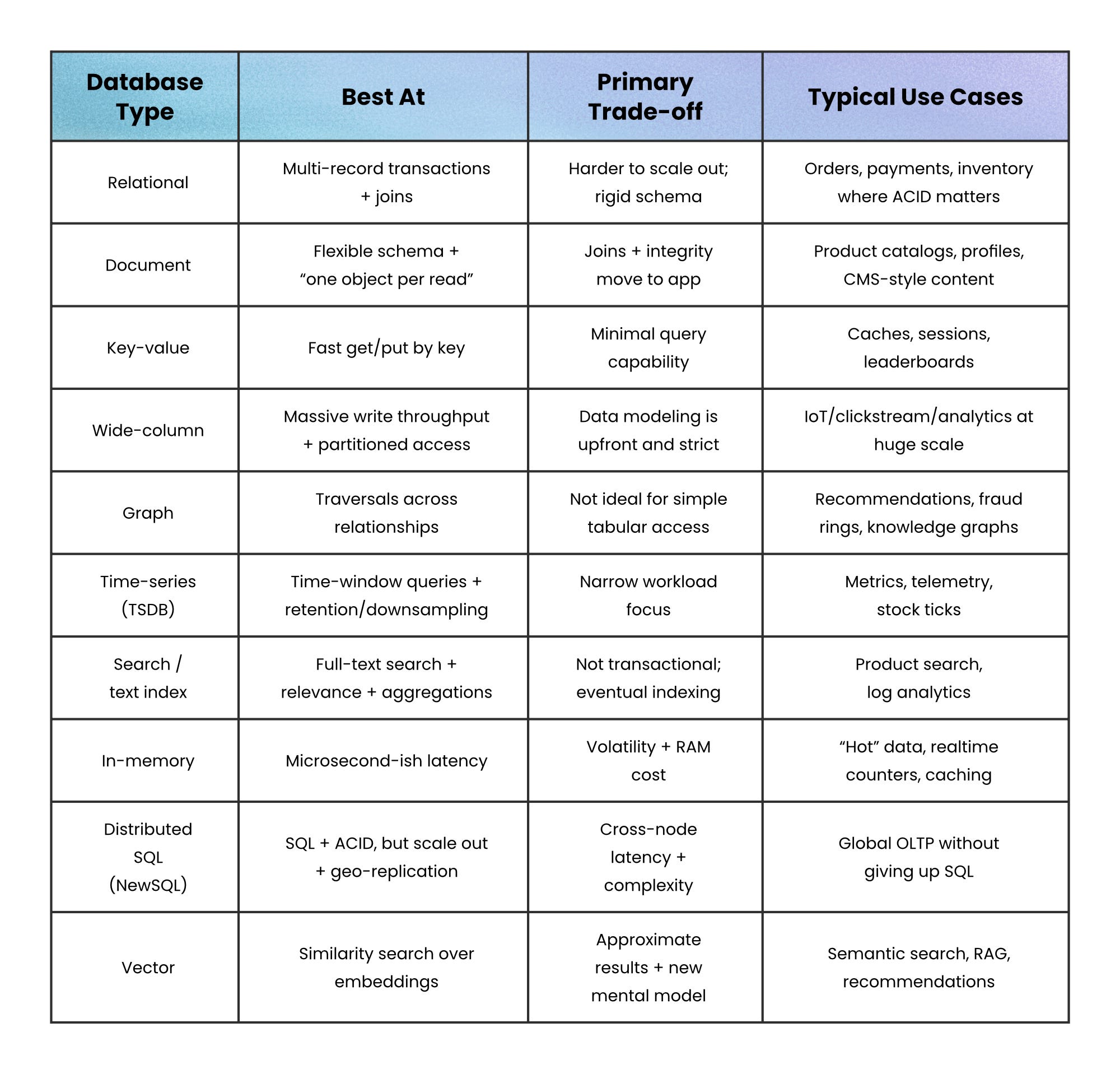
Many production systems don’t choose one database. They choose a primary database for correctness and secondary databases for access patterns:
SQL for transactions
Search for retrieval
Cache for speed
Vector for semantic discovery
That’s not over-engineering. It’s acknowledging that no single database answers every hard question well.
👋 If you liked this post → Like + Restack + Share to help others learn system design.
Subscribe to get high-signal, clear, and visual system design breakdowns straight to your inbox: